










Use the service customer list to review request history and safely preview the private portal.
Before you start
- Search by customer name or email.
- Confirm the intended Ticket instance before accessing as a customer.
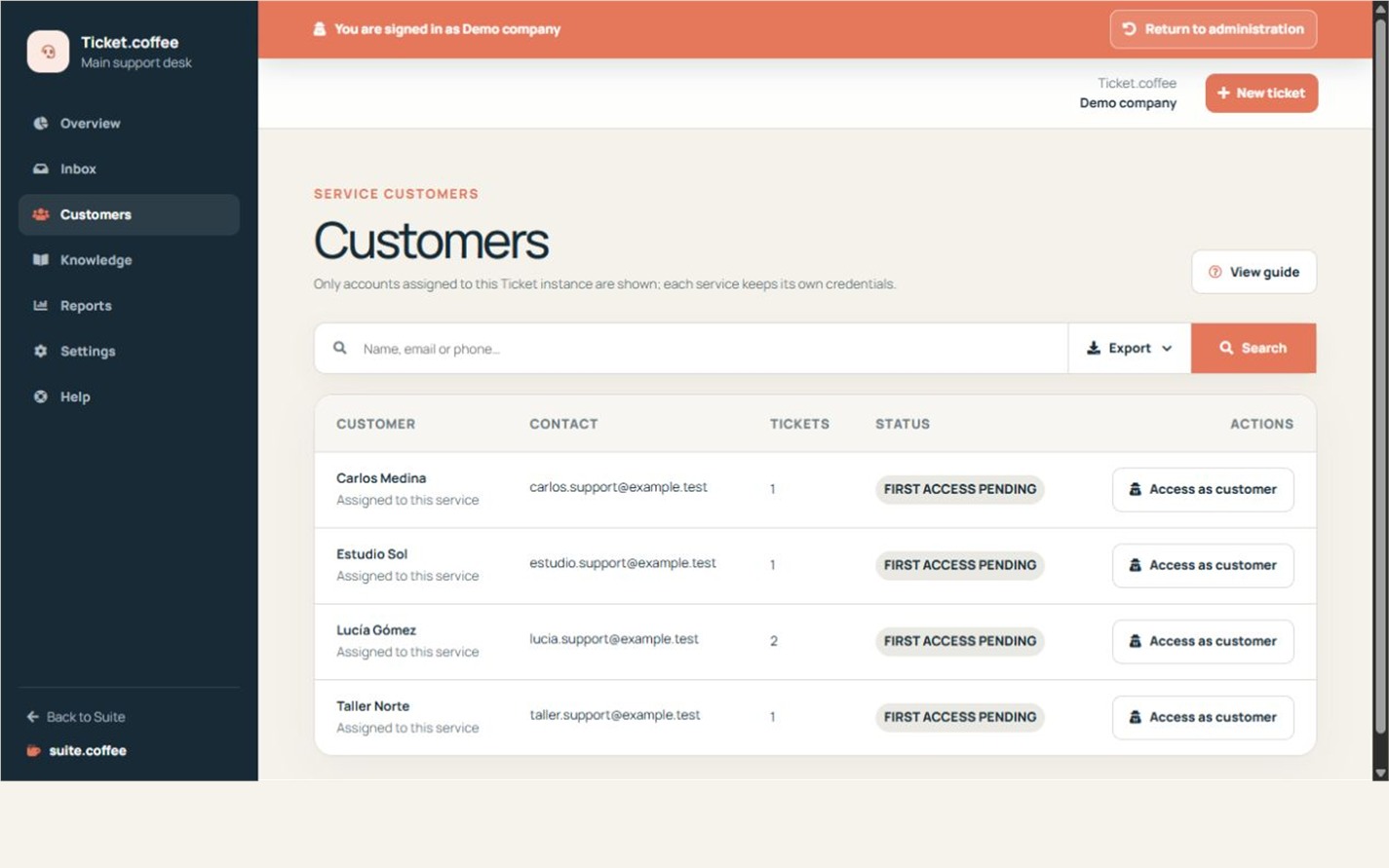
One customer, several tickets
The customer list groups contact details and request history independently of any single ticket. Search before creating a duplicate record.
Use history as context
Review previous tickets before answering a recurring question. Customer data is shared with the Suite customer entity, so edit it carefully.
Step by step
- Open Customers and search first.
- Review name, email and number of tickets.
- Open related tickets for support context.
- Use Access as customer only when an operational preview is needed.
- Return to management from the visible impersonation banner.
Final check
- No duplicate customer was created.
- Portal access shows only this service tickets.
- Manager preview remains clearly identified.
Tip: Service-specific portal credentials can differ even when the same customer email appears in several Ticket instances.