










Use one shared queue to identify the next request and preserve the complete conversation.
Before you start
- Agree ownership and escalation rules.
- Keep team, agent, priority and status current.
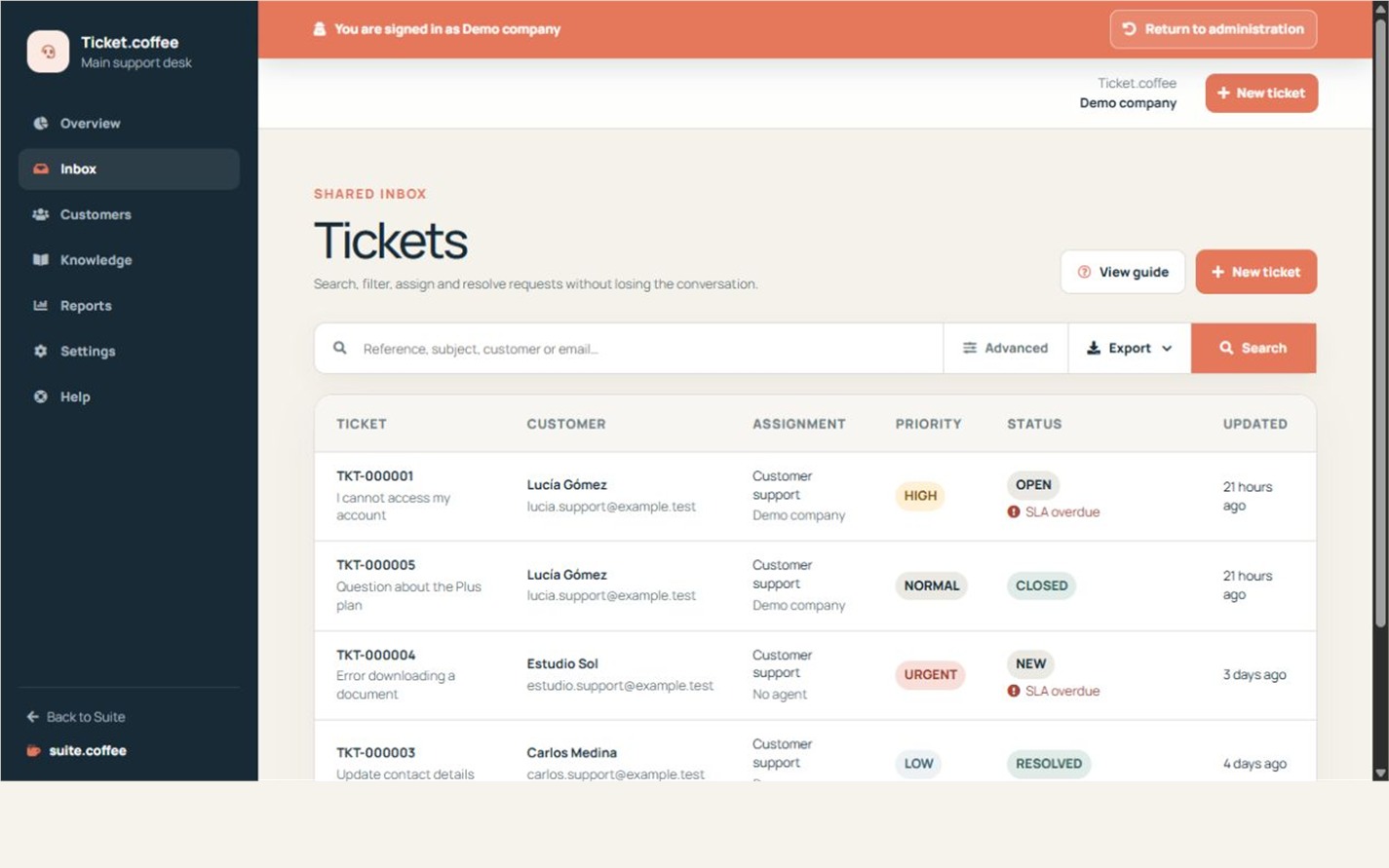
Find the next ticket
Use search and filters for status, priority, team, agent and SLA. Open a ticket to read the complete public conversation and its operational data.
Keep replies and status aligned
Public replies are visible to the requester. Internal changes to assignment, priority or status organise the team. Use Waiting for customer only when the next action belongs to the requester.
Resolve and close
Resolve a ticket when the requested work is complete. Close it when no further follow-up is expected; the available customer actions still depend on instance settings.
Step by step
- Open Inbox and apply search or filters.
- Open the most urgent or overdue request.
- Read the complete public thread and operational details.
- Assign the correct team and agent, then reply publicly.
- Set waiting, resolved or closed only when the next action supports it.
Final check
- Every active request has clear ownership.
- Public replies contain no internal-only notes.
- Resolved work no longer appears as pending.
Tip: Status should describe who owns the next action, not merely acknowledge that a reply was sent.